How to Build an API Without Code in 2026
One year ago, building an API meant writing code. There was no way around it. You needed a developer who understood HTTP methods, authentication schemes, error handling, and deployment infrastructure. Even a simple endpoint took days to ship properly.
That's no longer true. In 2026, you can describe what you want an API to do in plain English and deploy it as a live endpoint in minutes. Not a prototype. Not a demo. A production-ready API that other systems can call immediately.
This shift matters because APIs are the connective tissue of modern business operations. If you can build APIs faster, you can automate more processes, integrate more systems, and respond to business needs without waiting in the engineering queue.
Here's how it works—and what you need to know to do it well.
What "Building an API" Actually Means
Before diving into the how, let's clarify what we're building.
An API (Application Programming Interface) is a way for systems to talk to each other. When your accounting software needs to check customer data in your CRM, it calls an API. When your mobile app needs to display order status, it calls an API. When Slack needs to trigger a workflow in your internal tools, it calls an API.
Building an API means creating an endpoint—a URL that other systems can call—that does something useful when called. Maybe it looks up data. Maybe it transforms inputs. Maybe it triggers a process. Whatever it does, it returns a response that the calling system can use.
Traditional API development involves:
- Deciding what the API should do
- Writing code to implement that logic
- Setting up infrastructure to host the code
- Configuring authentication so only authorized systems can call it
- Deploying the code to production
- Monitoring and maintaining it over time
Steps 2-6 require technical expertise. Until recently, there was no way around that.
The AI-Native (Vibe Coding) Approach
AI workflow builders change the equation by handling steps 2-6 automatically. You focus on step 1—what the API should do—and the platform handles the rest.
Here's a concrete example:
Traditional approach: You want an API that validates email addresses against your customer database and returns company information for known customers. A developer would write code to accept an email input, query your database, handle the case where the email exists versus doesn't exist, format the response, handle errors gracefully, set up authentication, configure a server, and deploy. Timeline: days to weeks.
AI workflow approach: You describe what you want: "Build an endpoint that receives an email address, looks it up in our customer database, and returns the associated company name and customer tier if found. If the email isn't in our database, return that the customer wasn't found." The AI interprets this description, generates the workflow, connects to your database (you point it at the right integration), and deploys as a live endpoint. Timeline: minutes.
The endpoint you get works the same way. Other systems call it, send an email address, and get back company information. The difference is how it got built.
A Step-by-Step Walkthrough
Let's build an actual API using this approach. We'll create an endpoint that processes webhook notifications from a payment provider and logs them to a Slack channel.
Step 1: Describe what you want.
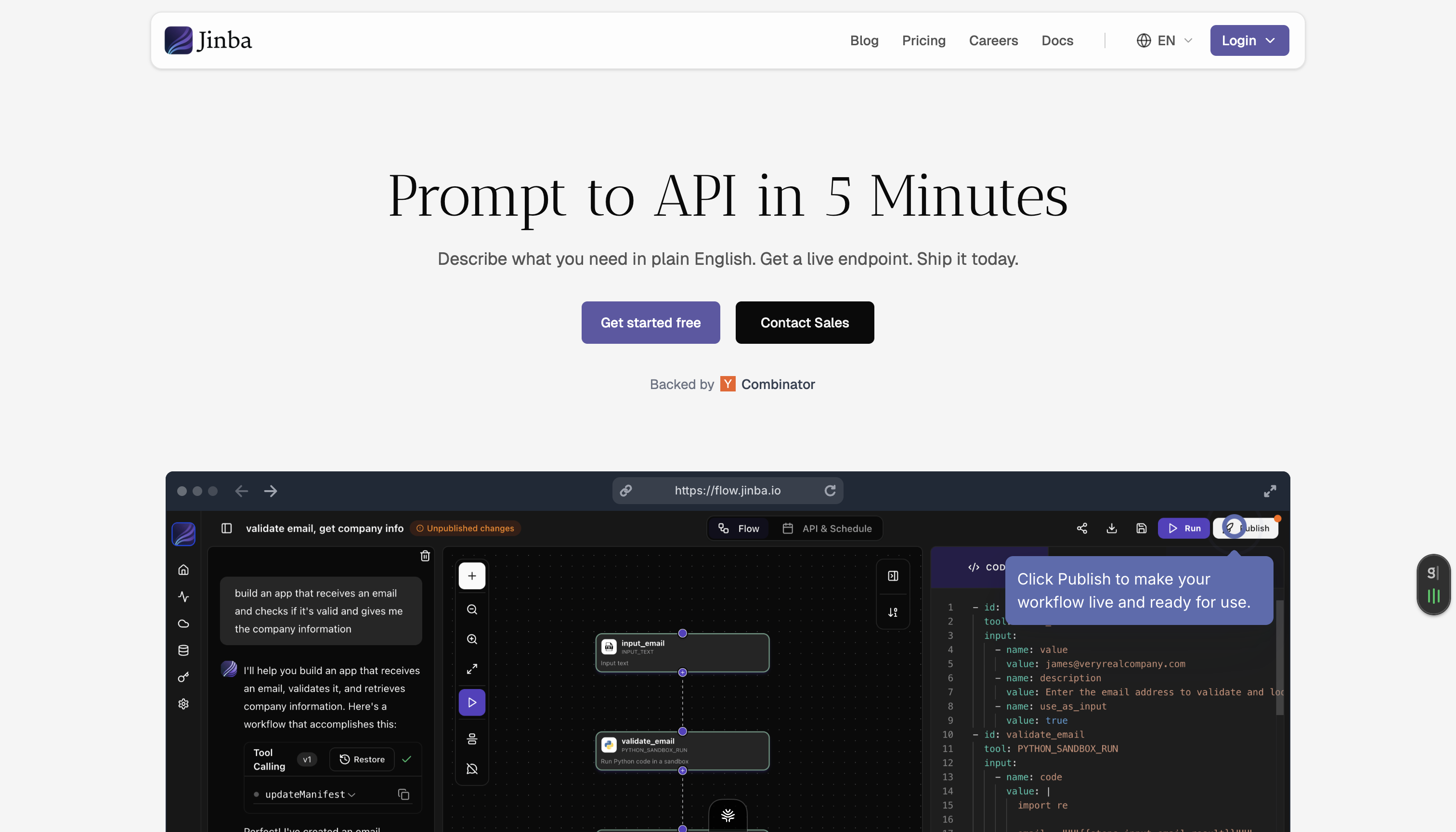
In an AI workflow builder like unknown node, you start by describing your workflow in plain language:
"When I receive a webhook from Stripe about a successful payment, extract the customer email, payment amount, and timestamp. Format a message that includes these details and send it to the #payments channel in Slack."
Step 2: Review the generated workflow.
The platform interprets your description and generates a workflow structure. You'll see something like:
- Input: Webhook payload (JSON)
- Step 1: Extract customer_email, amount, created fields from payload
- Step 2: Format message: "Payment received: [amount] from [email] at [timestamp]"
- Step 3: Send to Slack channel #payments
You can adjust this visually if the AI misunderstood something. Maybe you want to convert the timestamp to your local timezone. Maybe you want to format the amount as currency. These refinements happen through editing, not coding.
Step 3: Configure integrations.
The workflow needs to connect to Slack to send messages. You authenticate once with your Slack workspace, and the platform handles the connection details from then on.
For webhooks coming in, the platform provides you with an endpoint URL. You configure Stripe to send webhooks to this URL.
Step 4: Test with real data.
Before going live, you test the workflow. Most platforms let you send test payloads and see exactly how the workflow processes them. If something doesn't work right, you iterate—adjust the workflow, test again.
Step 5: Deploy.
One click publishes the workflow as a live API endpoint. The URL is active immediately. Any system that sends a properly-formatted POST request to that URL triggers the workflow.
That's it. You've built a production API without writing code.
What You Can Build This Way
The range of APIs you can build without code is broader than most people expect. Common patterns include:
Data transformation endpoints. Input in one format, output in another. CSV to JSON. Nested data to flat tables. Messy strings to structured fields.
Lookup services. Check an input against a database and return matching records. Customer lookups by email, product lookups by SKU, user validation by ID.
Process triggers. An API call starts a multi-step workflow. Order processing, approval chains, notification sequences.
Aggregation endpoints. Combine data from multiple sources into a single response. Pull from your CRM, your support system, and your billing system to return a unified customer view.
Validation services. Check whether input data meets certain criteria. Email format validation, business rule checking, compliance verification.
Integration bridges. Translate between systems that don't natively talk to each other. When System A sends data in its format, transform it and send to System B in its format.
Where This Approach Shines
Building APIs without code isn't always the right choice. But for certain use cases, it's dramatically better than traditional development.
Internal tools and operations. When you need an API for internal processes—not customer-facing production systems—development speed matters more than marginal performance optimization. An API that ships today at 95% optimal is better than a perfect API that ships next quarter.
Rapid iteration. When requirements are still being figured out, the ability to change an API in minutes rather than days makes exploration practical. Try something, see if it works, adjust immediately.
Business-driven automation. When the people who understand the business need can describe what they want but can't code it themselves, AI workflow builders let them ship without waiting for engineering.
Integration workflows. When you need to connect systems that don't have native integrations, building an API bridge is often the fastest path. No waiting for either vendor to build a connector.
Prototype-to-production. When you need to validate an approach before investing in a full implementation, shipping a working API in minutes lets you test with real usage before committing to traditional development.
Limitations to Know About
Honesty matters: AI workflow builders don't replace custom development for every use case.
High-performance, high-scale. If your API will handle millions of requests per second and every millisecond of latency matters, you probably need custom optimization. Most business workflows don't hit this threshold, but some do.
Complex algorithms. If your API requires sophisticated computation—machine learning inference, complex financial calculations, cryptographic operations—you'll likely need custom code for those components. The workflow builder can orchestrate around them, but the core computation might need traditional development.
Edge cases requiring custom logic. Sometimes business rules are too nuanced to express declaratively. When you need dozens of conditional branches with subtle interactions, code might actually be clearer than workflow configuration.
For most enterprise automation use cases, these limitations don't apply. The invoice validation workflow, the data transformation service, the notification system—these are exactly the APIs that workflow builders handle well.
Making It Enterprise-Ready
Building an API is one thing. Making it enterprise-ready is another. Key considerations:
Authentication. Your API needs to verify that callers are authorized. Good workflow builders include built-in authentication options—API keys, OAuth, token-based auth—so you're not exposing endpoints to the public internet.
Error handling. What happens when the database is unavailable? When the input is malformed? Enterprise APIs need graceful degradation, not silent failures. Look for platforms that handle errors explicitly and provide meaningful error responses.
Logging and monitoring. You need visibility into what your API is doing. How many calls per day? What's the error rate? Where are failures occurring? The platform should provide this automatically.
Governance. Who can create APIs? Who can modify them? Who can access production endpoints? Enterprise deployments need role-based access controls and audit trails.
Platforms like unknown node build these capabilities in. SOC 2 compliance, SSO integration, audit logging—the enterprise requirements are handled at the platform level so each API you build inherits them automatically.
Getting Started
If you've never built an API without code, start simple. Pick a workflow that bothers your team—something manual, repetitive, and well-understood. Maybe it's looking up customer information that currently requires logging into three systems. Maybe it's transforming a report export from one format to another. Maybe it's triggering a notification when certain events occur.
Describe what you want. Let the AI generate a workflow. Test it. Deploy it. Use it.
The first API you build this way probably won't be your most important. But it will be fast enough to show you what's possible. And that changes how you think about every automation project that comes next.
unknown nodeReady to build your first API without code? unknown node and deploy a workflow as a live endpoint in minutes.